Posts

Showing posts with the label Widget

Floating Facebook Widget for Blogger
Image
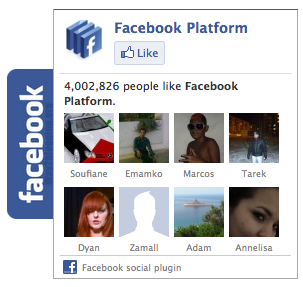
Widgets are playing very good role in both wordpress and blogger blogs. Here is another stylish facebook like box, this widget is design in three awesome style and it will slide out smooth when you place your cursor on the widget banner due to the jQuery effect that i included. The method is very easy, you need to follow method step by step. How To Add The Widget To Your Blog/Site First thing is to add the java script code in template. Go to blogger.com and login to your account Select your blog and goto template section Click on Edit HTML Now find </head> tag by pressing ctrl + F and write this tag in box then hit enter After finding the </head> just above this tag, copy and paste the below code <script src="https://ajax.googleapis.com/ajax/libs/jquery/1.10.2/jquery.min.js"></script>  Click on Save Template and You're done Now its time to add Widget to your blog Goto Layout Section Click on add gadget any where on layout page and select HTML/ Java...

How To Add Google Translate Widget to Blogger

Image
1.Login to your dashboard > layout >Page Elements 2.Click on 'Add a Gadget' on the sidebar. 3.Select 'HTML/Javascript' and add the code given below and click save. ADD THIS WIDGET TO YOUR BLOG NOTE : Remember to replace YOURBLOGNAME with your real blog name. Look at the picture below.

Stylish Rss Feed Subscription Box For Blogger

Image
By using this Rss Feed Subscription widget you can link your social media profile Facebook, Twitter and Rss and subscribe field. It will help to get the new updates by emails. How to add Rss Feed Subscription Box For Blogger Go to layout-->Add a gadget-->HTML/JavaScript and put bellow code in it. GET FREE EMAIL UPDATES     You have to change the counters manually, just change URLs and IDs addresses according to your profile. Save template and happy blogging.

Email Subscribe Widget for Blogger

Image
You can use this widget below of every post. This  subscribe box widget is created with simple css with colorful background. In this email subscription widget visitors are able write their name. The name box make this widget more professional. In this widget you can change subscribe box heading. Default heading is: "Subscribe for our all latest news and updates". LIVE DEMO Now lets start this: First you need to add CSS code of this widget. So, copy past below css before </style> #subscribe-box {background-color:#0CC388;font-family: 'PT Sans', sans-serif;} #subscribe-box p {font-size:22px;color:#fff;line-height:20px;padding:10px 20px 0 20px;margin:0;} #subscribe-box .emailfield {padding:0px 20px 10px;} #subscribe-box .emailfield input {background:#f9f9f9;color:#bbb;padding:10px;margin-top:10px;font-size:13px;width:91%;border:0;transition:all 0.4s ease-in-out;} #subscribe-box .emailfield input:focus {background:#fff;outline:none;color:#888;} #subscribe-box .email...